
Learn how to classify and calculate billable and non-billable hours, see a worked weekly example, and manage the mix without treating all internal time as waste.
What Are Billable and Non-Billable Hours?
Billable hours are hours spent on work a firm can charge to a client under the agreed commercial arrangement. Non-billable hours are hours the firm cannot charge directly to a client, although they may still support delivery, operations, or future revenue.
Billable work can include client-approved consulting, implementation, design, development, or other services the contract covers. Non-billable work can include internal meetings, training, business development, administration, and activities outside the agreed billing terms.
The classification depends on the contract and the firm’s policies. For example, one client may agree to pay for project management meetings, while another contract excludes them. Teams should define the rules before anyone records time so employees apply them consistently.
How to Calculate Billable and Non-Billable Hours (Formulas)
Billable Hours = Hours Recorded Against Work That Qualifies for Client Billing
Non-Billable Hours = Total Recorded Working Hours − Billable Hours
The second formula assumes every recorded hour falls into one of these two categories and that both figures cover the same period. If the business also tracks leave, overtime, or unallocated capacity separately, account for those categories consistently.
Billable vs. Non-Billable Hours Example
A consultant records 40 working hours during a week:
| Activity | Hours | Type |
|---|---|---|
| Client implementation | 26 | Billable |
| Client meetings covered by the contract | 4 | Billable |
| Internal training | 3 | Non-billable |
| Team meetings and administration | 5 | Non-billable |
| Business development | 2 | Non-billable |
If the contract allows billing for the implementation and client meetings, the billable total is:
26 + 4 = 30 billable hours
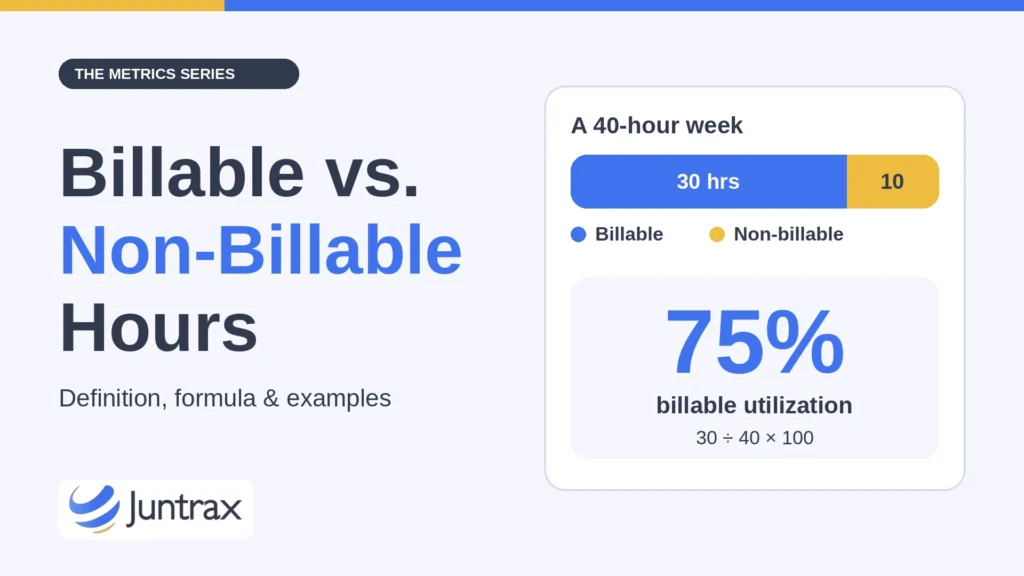
The remaining 10 hours are non-billable. Billable utilization for the week is 30 ÷ 40 × 100 = 75%, assuming all 40 hours count as available working hours.
Result: 30 billable + 10 non-billable = 40 hours, or 75% billable utilization.
This breakdown gives the firm a clear view of how the consultant’s time was spent. The remaining 10 hours still had value: training and business development may support future projects, and internal administration keeps the business running.
Why the Difference Matters for Billing and Profitability
The distinction affects project billing, utilization reporting, and profitability analysis. When employees classify hours inconsistently, managers struggle to see how much time projects need and how much revenue the work should generate.
Accurate classification also supports better estimates. If a project keeps needing more internal coordination than expected, the firm may need to build that effort into its pricing or delivery plan.
At the same time, firms should avoid treating every non-billable hour as a problem. Quality reviews, training, mentoring, and business development all contribute to long-term performance. The useful question is whether the mix of billable and non-billable work fits the business model.
How to Manage Billable and Non-Billable Time (4 Steps)
- Define the rules for each project and contract. Explain which activities qualify for billing and how employees should record work that falls outside the agreement.
- Make time entry specific enough to support meaningful reporting. Employees should log hours against the correct project and task with the right classification, so managers can compare estimated effort with actual time.
- Review non-billable hours by category. If administration takes more time than expected, the firm may be able to simplify processes. If training time rises, it may reflect a planned investment in new skills rather than a delivery problem.
- Review exceptions promptly. Correcting a classification while the project is active is usually easier than rebuilding time entries at month-end.
3 Common Billable Hours Mistakes to Avoid
- Assuming every client-related activity is billable: The contract determines which work can be charged.
- Classifying all internal work as waste: Some non-billable activities support quality, future sales, and employee development.
- Leaving time entries until the end of the month: Late entries lower accuracy and make project review harder.
Billable Hours vs. Resource Utilization and Project Margin
Billable hours feed resource utilization, while the balance between billable and non-billable work can shift project margin.
To see how logged hours become client invoices, read our guide to the timesheet-to-invoice process for professional services firms.
Track Billable and Non-Billable Hours with Juntrax PSA Software
Juntrax lets managers mark project team members and tasks as billable or non-billable. Employees record hours through timesheets against dates, projects, and tasks, while managers review project hours and financial information.
The project financial dashboard also provides estimated versus actual hours and resource-level bill and pay figures. Together, these details show the effort recorded against each project.
Explore Juntrax PSA software for project time and financial tracking.
Billable vs. Non-Billable Hours FAQs
Can non-billable hours still contribute to revenue?
Yes. Business development, training, and internal work may support future sales or improve delivery. They simply do not generate direct client revenue in the period when the hours are recorded.
Should employees record non-billable time in timesheets?
Yes, when the company’s time-recording policy requires it. Recording both billable and non-billable work helps managers understand capacity, project effort, and the cost of internal activities.
Track billable and non-billable time in one timesheet, free for 14 days
Start Free Trial