
Disclosure: Juntrax publishes this article, and our platform is one of the tools discussed. We’ve judged every tool here on the same criteria.
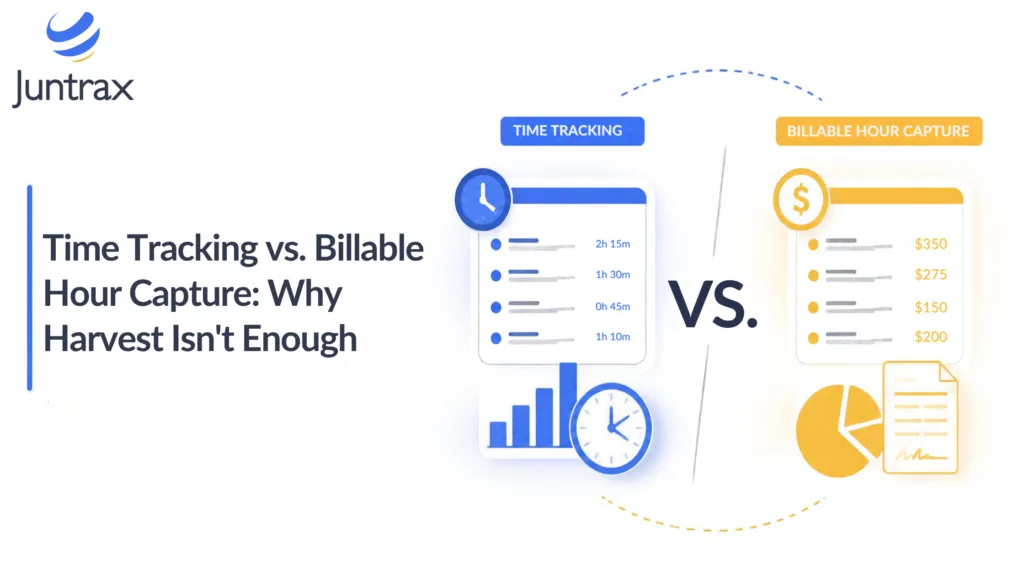
The short version: A time tracker records how long someone worked. Billable hour capture goes further: it checks that time against projects and rates, then hands it off to invoicing. Harvest, Clockify and Toggl are all good trackers, but firms that bill by the hour eventually need the second job done too.
Is a time tracker enough for billable hours?
A timer tells you how long someone worked. A billable firm also needs to know:
- Was the entry assigned to the right project?
- Was it priced at the right rate?
- Did it actually make it onto an invoice?
By our estimate, around 31% of billable advisory hours never reach an invoice correctly. Here’s what that leakage typically looks like:
- 100% of hours worked
- 84% on a timesheet
- 76% approved at the correct rate
- 69% invoiced
The exact numbers vary by firm, but the shape is consistent: the loss happens after the timer stops, in steps a timer never touches. A stopwatch can time the race, but it can’t tell you whether the runner crossed the right finish line.
What separates billable hour capture from time tracking?
Capture is time tracking plus classification, validation and a hand-off to invoicing. A tracker stores the entry. A capture system decides whether the time is billable, at what rate, and whether it’s ready to bill.
The first decision is the billable/non-billable split. Billable hours are client-facing time you can charge to a project invoice. Non-billable hours cover internal work like training, admin, business development and firm meetings. Getting that line right drives both your utilization numbers and your margins.
How can software suggest billable time automatically?
Good capture software helps with the problem of people forgetting what they did. MyCase’s Smart Time Finder is a good example. It passively tracks activity inside the platform, spots billable actions that have no time entry, and summarizes them for review later (source 4). It’s available on MyCase’s Pro and Advanced plans. The software flags the gap and a person confirms it, so entries stay human-approved while the tool catches what memory drops by Friday afternoon.
Which validation rules prevent over- and under-billing?
- Project required at entry. Nothing saves without a project and task, so no time floats around unassigned.
- Rates set by role and location. Bill rates are configured by role and location and applied automatically to each timesheet entry. This guards against rate card leakage, a mismatch that we estimate costs firms 6-11% of revenue.
- Approval before invoicing. Harvest offers timesheet approvals only on its Enterprise tier (source 1).
- Required notes. That same Harvest tier can require notes on every entry, which helps when a client disputes a line (source 1).
- Bench checks. Unassigned billable people show up as bench time, which is cost without revenue, so capture needs to connect to resource allocation.
Under-billing is the quieter problem. A late timesheet is rarely wrong, just missing, and we estimate that roughly 5% of billable hours go uninvoiced this way.
What do Harvest, Clockify and Toggl do well?
Time tracking, and each has real strengths. Prices below are as listed on each vendor’s pricing page on October 6, 2026.
Harvest: The free plan covers 1 seat and 2 projects, with invoicing and expense tracking included. Teams costs $9 per seat per month billed annually ($11 billed monthly) and adds billable and cost rates, team reporting, and integrations with Stripe, QuickBooks Online and Xero. Enterprise adds profitability reporting, timesheet approvals and required notes (source 1).
Clockify: The free plan covers up to 5 users. Billable rates arrive on Basic ($3.99 per seat per month billed annually). Standard is $5.49 per seat per month billed annually ($6.99 monthly) and adds invoicing, approvals and a QuickBooks integration. Labor cost and profit reporting come with Pro ($7.99 billed annually) (source 2).
Toggl: Starter adds billable rates and costs $9 per user per month billed annually, or $12 billed monthly. Premium runs $16 annually or $24 monthly and adds profitability reports and timesheet approvals (source 3).
The pattern across all three: approvals, billable rates and profitability reporting tend to sit behind the higher tiers.
How does billable hour capture work in Juntrax?
Our PSA includes timesheets and time tracking, pay rate and bill rate management, location-specific bill rates, and a project financials dashboard that shows live margins drawn from invoices, POs and timesheets. With the Integrated Solution, PSA timesheets flow into HRMS attendance automatically, and margin is calculated per project from pay rate against bill rate. HRMS Suite, PSA and Cash-Flow all run on one shared database.
There’s a tradeoff: a unified platform takes more setup than a timer app. Most firms are live within 2-4 weeks, and some get there in as little as 21 days.
Which is better for billable firms: Harvest or an integrated PSA?
Every handoff between separate tools is a chance for an hour to change its rate, its project, or disappear altogether. An integrated platform removes those handoffs. Timesheets feed attendance, pay rate and bill rate produce margin per project, and a single reporting layer covers people, projects and finances.
Rajesh SV, an engineering manager at Source Engineering Services, says his stakeholders now get accurate monthly updates on project profitability.
The counterpoint: if your firm has no utilization targets, you’ll gain little from consolidating.
How do you choose?
It comes down to four things: team size, project complexity, risk of revenue leakage, and resource planning needs.
Choose a tracker (Harvest, Clockify, Toggl) if you’re solo or under about 10 people, run simple projects, and invoice occasionally. The free tiers cover small teams well.
Choose a billable-hour platform (like Juntrax) if you bill by the hour, run several projects at once, track utilization, or want hours to flow into invoices and payroll without re-keying.
A word of caution on hybrids: a tracker plus a separate PSA can work, but estimate the integration labor before you commit.
If you’re not sure, test with real timesheets. One billing cycle will show you where entries get stuck, and our 14-day free trial (no credit card) is long enough for that.
FAQs
Can I use Harvest for billable hour tracking?
Yes, for the basics. Harvest tracks time, invoices and expenses, and the Teams plan adds billable and cost rates.
Does Clockify validate billable hours automatically?
Partly. Required fields and a time audit arrive on Basic, and approvals on Standard. Project and rate discipline still depends on how you configure things.
Why does bench time matter?
Unassigned billable people generate cost without revenue. Seeing bench time next to timesheets tells you whether low billing is a capture problem or an allocation problem.
How do I prevent billable-hour errors?
Require a project at entry, apply rates automatically by role, and approve timesheets before invoicing. Hours logged Monday for the previous Friday should go through the same checks.
Is Harvest cheaper than a billable-hour platform?
On sticker price, often yes. But once you add the labor of reconciling hours by hand, the cheaper tool may not stay cheaper.
Can I switch from Harvest to a PSA platform?
Yes. We price data migration separately based on the volume and format of your existing data, and we quote it up front before you commit. The real work is in mapping projects and rates.
Key takeaways
- A timer records effort. Capture decides what gets billed, at what rate, and whether it reaches an invoice.
- Checks at entry (project, rate, approval) prevent over-billing and the quieter under-billing from late timesheets.
- One system for timesheets, payroll data and invoicing removes the reconciliation step where hours leak.
- Solo and small teams with occasional invoicing can stay on a tracker. Firms billing hourly across concurrent projects should look at a platform like Juntrax.
If you’ve ever finished a billing cycle wondering where a few hours went between the timesheet and the invoice, run your own timesheets through our free 14-day trial and see where capture catches them.
Sources
- Harvest Pricing, Harvest. https://www.getharvest.com/pricing
- Clockify Plans & Pricing, Clockify. https://clockify.me/pricing
- Toggl Pricing Plans, Toggl. https://toggl.com/pricing
- Law Firm Time Tracking Software, MyCase. https://www.mycase.com/features/law-firm-time-tracking-software/