
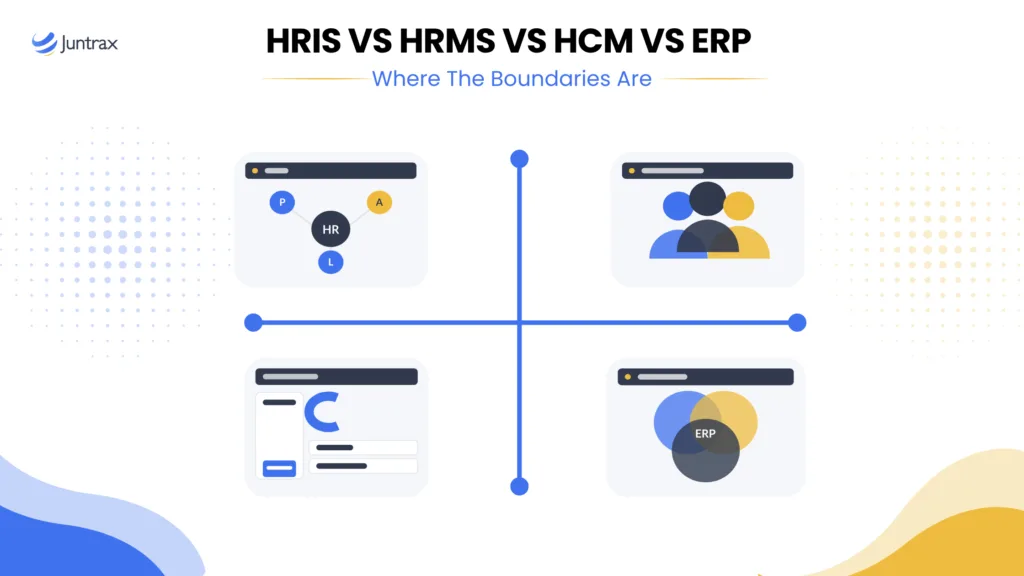
You sit down to shortlist HR software. Within twenty minutes, you have four browser tabs open, and every one of them describes what sounds like the same product. One calls itself an HRIS. One calls itself an HRMS. One says HCM. One is an ERP suite with an HR module bolted to the side. All four promise employee records, payroll, leave, and reporting.
So you do the reasonable thing and search for the difference. The results give you a tidy ladder: HRIS at the bottom, HRMS in the middle, HCM at the top, ERP somewhere off to the side. Neat. Also, in practice, unreliable.
The reason is simple. No standards body owns these four terms. There is no certification that says a product qualifies as an HRMS rather than an HRIS. Vendors choose the label that fits their positioning, and analysts have shifted the definitions more than once over two decades. Two products with identical feature sets can carry different acronyms purely because of who is selling them.
This guide gives you a way to read past the labels. It covers what each of the four terms usually means, where the boundaries really sit, what breaks when you cross them, and how to decide based on how your business earns money.
The Short Answer: What Separates These Four Systems
If you want the one-paragraph version, it is this.
An HRIS is a system of record for employee data. An HRMS is an HRIS plus the transactional workflows that run on that data, such as payroll, time, and attendance. HCM is an HRMS plus the strategic layer, meaning talent, learning, succession, and workforce planning. An ERP is a company-wide platform where HR is one module among finance, procurement, inventory, and operations, all sharing a single database.
The distinguishing question is not which features exist. It is what the system is a system of record for and how far its scope extends past the HR department.
Three of these terms describe depth within HR. One of them, ERP, describes breadth across the business. That asymmetry is what makes the four-way comparison confusing, and it is why most articles quietly drop ERP from the conversation.
Why The Acronyms Blur In The First Place
Three forces keep these definitions soft.
The terms are historical rather than technical. HRIS became common in the 1980s alongside mainframe and early client-server systems. HRMS described the on-premises HR software suites of the early 2000s. HCM gained traction as the category moved to cloud delivery and analysts wanted a term for the strategic, employee-experience-led generation. Each term marks an era rather than a fixed capability set.
Vendors label for positioning. A vendor selling to a 40-person firm may call the same product an HRIS because it sounds approachable. A vendor selling to a 4,000-person enterprise may call it HCM because it sounds strategic. The database schema underneath does not change.
The category keeps absorbing adjacent functions. The global human resource management market was valued at around USD 27.5 billion in 2024 and is projected to reach USD 60.5 billion by 2030, growing at a 14.4% CAGR, according to Grand View Research. Growth at that pace pulls features across old boundaries. Payroll ends up in products that once had none. Analytics ends up in products that once shipped a static report pack.
The practical takeaway: evaluate the capability list and the data model, not the acronym in the product name.
What An HRIS Is, And What It Was Built To Do
An HRIS is the employee database. It holds the authoritative version of who works for you.
Typical scope covers employee master data, organisation structure and reporting lines, job and position history, document storage, basic leave and attendance records, compliance data, and standard reporting. Some HRIS products include payroll. Many pass payroll to a specialist system.
The defining characteristic is record-keeping accuracy, not workflow depth. An HRIS answers questions like: who reports to whom, when did this person join, what is their current designation, which documents are on file, and is their contract current?
For a firm with roughly 50 people, this is often enough. You are trying to escape spreadsheets and shared drives. Our guide to what an HRIS does in human resources covers the module breakdown in more detail.
Where an HRIS runs out of room is the moment your questions become operational rather than archival. If you need to know how much of last month’s payroll went to billable work, an HRIS cannot answer that. It was never built to.
What An HRMS Adds On Top Of An HRIS
An HRMS keeps the record layer and adds the transaction layer. It runs processes rather than only holding files.
That usually means payroll processing and payslip generation, time and attendance capture, leave accrual and approval workflows, benefits and reimbursement administration, onboarding and offboarding flows, employee self-service, and often recruitment and performance modules.
The shift is from storing data to processing it. An HRIS tells you an employee has 12 days of leave remaining. An HRMS calculates that balance from an accrual policy, routes the request to a manager, updates the balance on approval, and feeds the outcome into payroll.
This is the layer where most firms in the 25- to 150-employee band land. Enough process to remove manual work, without the implementation weight of an enterprise suite. If you want the fuller picture, our HR management system guide walks through the modules and how they connect.
What HCM Means When A Vendor Uses It
HCM sits on top of everything an HRMS does and adds the strategic layer. The premise is that people are an asset to develop and measure, not an administrative cost to record.
The additional scope typically includes talent acquisition and applicant tracking, learning and development, succession planning, compensation planning and modelling, engagement and survey tooling, and workforce analytics with predictive elements.
Two honest cautions here.
First, HCM and HRMS are used interchangeably by a large share of vendors. If a product is marketed as HCM but ships the same modules as an HRMS, the label is doing marketing work, not descriptive work.
Second, the strategic modules only pay off at scale. Succession planning tooling assumes you have enough layers and enough people that succession is a live problem. A 60-person consulting firm rarely needs a formal succession module. It needs to know whether its senior engineers are on billable work this month.
Where ERP Sits, And What An ERP Vendor Sells
This is the part most comparison articles skip, and it is the part that changes your buying decision.
An ERP is a company-wide operational platform. HR is one module. Finance, procurement, inventory, manufacturing, supply chain, and sales are the others. All of them share one database, so a change in one module propagates everywhere.
What is an ERP vendor?
It is a software company whose product is an integrated suite rather than a single function. An ERP vendor sells you a shared data backbone plus a set of modules you switch on as you need them. The commercial model reflects this. You often buy a platform licence and add modules, rather than buying HR software outright. Implementation usually involves a partner or system integrator, and timelines run in months rather than days.
The genuine advantage is a single ledger. When employee cost data lives in the same database as project costs and general ledger entries, you avoid reconciliation between systems.
The genuine trade-off is HR depth. An ERP HR module is generally built to feed finance, not to delight an HR team. Recruitment workflows, learning management, engagement tooling, and employee experience are typically thinner than in a dedicated HR platform. Many firms end up running an ERP for finance and a separate HR platform alongside it, which recreates the integration problem the ERP was meant to solve.
There is also a scoping issue specific to service firms. Most ERP suites were architected around manufactured products: bills of materials, inventory movements, unit costs. A consulting or engineering firm does not sell units. It sells hours. Fitting an hours-based business into a units-based data model creates friction that shows up years into the implementation.
HRIS vs HRMS vs HCM vs ERP: A Side-by-Side Comparison
| Dimension | HRIS | HRMS | HCM | ERP |
|---|---|---|---|---|
| Core purpose | Employee system of record | Run HR processes | Develop and plan the workforce | Run the whole business on one database |
| Primary user | HR administrator | HR and operations team | CHRO and leadership | Finance, operations, and IT |
| Scope boundary | Inside HR | Inside HR | Inside HR, strategic reach | Across every department |
| Typical modules | Records, org chart, documents, basic leave | Payroll, time, attendance, benefits, self-service | Talent, learning, succession, comp planning, analytics | Finance, procurement, inventory, HR, sales |
| Best fit headcount | Under 50 | 25 to 500 | 500 and above | Varies by industry, usually 200 and above |
| Implementation effort | Days to weeks | Weeks | Weeks to months | Months to quarters |
| Commercial model | Per user subscription | Per user subscription | Per user subscription, tiered | Platform licence plus modules, plus integrator |
| Where it falls short | No workflow depth | Limited strategic planning | Cost and complexity below scale | Thin HR depth, product-centric data model |
Use this as a starting frame, not a rulebook. Plenty of products straddle two columns.
The Test That Beats The Acronym: Six Questions To Ask Any Vendor
Since the labels are unreliable, evaluate the substance. Ask these six questions in every demo and compare the answers, not the category names.
1. What is this system the system of record for? If two systems both claim to own employee cost rates, you have a reconciliation problem waiting to happen. Decide up front which system wins.
2. Does payroll run inside this product or through an integration? Native payroll changes your monthly close. An integration means someone owns a file transfer and a failure mode.
3. Can it handle multiple entities and multiple countries in one instance? Firms in the 25 to 150 band with a GCC branch and an India delivery centre hit this wall quickly. Ask specifically about separate statutory rules under one login.
4. What happens to time data after it is approved? For a services firm this is the decisive question. Approved hours should feed both payroll and client invoicing. If they only feed payroll, you have half a system.
5. What does the integration cost in practice? Ask for the number of integrations in a typical deployment, who builds them, who maintains them, and what happens when one side ships a breaking change.
6. How long until we are live, and who does the work? Compare stated implementation timelines against the reference customers you are given. Ask references how long it really took.
Where The Boundaries Break: Four Failure Points Nobody Advertises
Choosing the right category is the easy part. The expensive part is what happens at the seams. Four failure points show up repeatedly in firms between 25 and 150 people.
The double entry of time: Employees log hours in an HR system for attendance and again in a project tool for billing. The two never quite agree. Finance reconciles by hand at month-end, and the reconciliation becomes a permanent job.
Cost rates that live in the wrong place: An employee’s cost rate sits in HR. Project margin is calculated in a project tool or a spreadsheet. When someone gets a raise, the margin figures stay wrong until a person remembers to update the other system.
Approvals that stop at the department line: A leave approval flows cleanly inside HR. A timesheet approval that should trigger an invoice stops dead, because the invoicing system is a different product with a different approval chain.
Reporting that requires a human joiner: Leadership asks for utilisation by practice area with margin alongside. Getting it means exporting from two systems into a spreadsheet, matching on employee ID, and hoping nobody joined or left mid-period.
None of these are exotic. They are the standard tax you pay for buying by department rather than by workflow.
The Fifth Category Nobody Puts In The Comparison
If your firm bills clients for time, there is a fifth system in this conversation, and leaving it out is why so many HR software decisions age badly.
Professional services automation sits between HR and finance. It owns project planning, resource allocation, timesheets, billable rate cards, project margin, and the handoff from approved hours into invoices. Read our overview of <a href=”https://juntrax.com/blog/top-10-best-psa-software-2025/”>what PSA software covers</a> if the category is new to you.
The category exists because the numbers demand it. According to the 2026 Professional Services Maturity Benchmark from SPI Research, which surveyed 509 professional services organisations, average billable utilisation fell to 66.4%, the lowest level in the study’s history. SPI Research treats 70% as the minimum healthy benchmark and 75% as the level high performers sustain. A firm sitting at 66.4% is giving away several points of margin, and the gap is rarely visible in an HR system because an HR system does not know which hours were billable.
Market spend reflects the same pressure. The PSA software market reached USD 12.40 billion in 2024 and is projected to hit USD 40.25 billion by 2033, a 14.7% CAGR.
This is the layer Juntrax was built around. Rather than positioning itself as an HRIS, an HRMS, or an ERP, Juntrax runs as a project-to-cash operations layer: HRMS for the workforce, PSA for projects and billable time, and Cash-Flow for quotes, invoices, expenses, and receivables. An employee’s cost rate and the projects they bill to sit in one system, so margin stays accurate without an export. Approved timesheet hours drop into invoices as service lines rather than being retyped.
It works alongside your accounting system rather than replacing it. If your books run on an established accounting platform, that stays where it is. The operations layer sits above it and hands off clean numbers.
What This Looks Like For India And GCC Buyers
Most comparison content on this topic is written for a US buyer. If you are running a firm in India or the Gulf, three constraints change the shortlist.
- Statutory payroll is not a configuration option: India payroll needs provident fund, ESI, professional tax that varies by state, gratuity, and TDS handled natively. A global platform with a generic payroll engine will need a local partner or a bureau, which adds a vendor and a handoff. Final Central Rules under the consolidated Labour Codes were notified in May 2026, so verify current handling with any vendor rather than assuming last year’s answer still holds.
- E-invoicing is now an operations requirement, not an accounting one: India’s GST e-invoicing regime, UAE’s phased e-invoicing rollout, and Saudi Arabia’s ZATCA programme all mean invoice data has to be structured and reportable at source. If your billing lives in a spreadsheet downstream of your HR system, that is a compliance exposure as well as a margin one.
- Multi-entity is the default, not the exception: A Bengaluru delivery centre, a Dubai commercial entity, and a US-facing sales arm is a common shape at this size. Ask whether one instance handles separate statutory rules, currencies, and reporting calendars, or whether you are buying three instances. Our roundup of <a href=”https://juntrax.com/blog/best-hr-software-in-uae/”>HR software options in the UAE</a> covers the regional considerations in more depth.
How To Choose By Company Size And Business Model
Two variables do most of the work: how many people you have, and whether you sell time or sell product.
- Under 25 people, products, or services: An HRIS is usually sufficient. Get the records out of spreadsheets, get leave and attendance running, and revisit in eighteen months.
- 25 to 150 people, product-based: An HRMS covers HR. Pair it with accounting. Consider an ERP only if inventory or manufacturing complexity is driving the decision.
- 25 to 150 people, service-based: This is where the standard advice fails you. An HRMS alone leaves billable time, project margin, and invoicing outside the system. You want HR and PSA connected, with a clean line into invoicing. Our comparison of HRIS options for midsize companies is a useful starting point for a shortlist.
- 150 to 500 people: HCM features start to earn their cost. Learning, succession, and structured performance management become real problems rather than nice-to-haves. Integration discipline matters more than feature count.
- 500 and above: ERP plus HCM is the common pattern, with a dedicated integration owner on staff. At this scale, the question shifts from which system to which architecture.
Five Mistakes That Make This Decision Expensive
- Buying the acronym instead of the capability list: Two products labelled HCM can differ more from each other than an HCM and an HRMS from the same vendor. Compare modules.
- Ignoring the integration bill: The licence cost is visible. Integration build, maintenance, and the person who owns it are not on the quote.
- Choosing for the headcount you hope to have. Buying enterprise HCM for 60 people to prepare for 600 usually means paying for three years of complexity you cannot use, then replacing it anyway.
- Forgetting where billable hours go: For a services firm, a system that captures attendance but not billable status has solved half the problem and hidden the other half.
- Skipping the multi-entity question: It is far cheaper to ask before you buy than to discover it during your first cross-border payroll run.
The Boundary That Matters Most
Sorting HRIS from HRMS from HCM from ERP is worth doing, but it is not the decision. The four labels describe how deep a system goes inside HR and how far it reaches across the business. They tell you very little about whether the system fits how your firm makes money.
For a project-based services firm, the boundary that matters is not between HRIS and HCM. It is between the systems that know your people and the systems that know your projects and your cash. When that line runs through the middle of your operations, you pay for it in reconciliation time, in stale margin figures, and in utilisation you cannot see until the quarter has already closed.
Pick the category that matches your scale. Then make sure the workflow from an hour worked to an invoice paid does not cross a system boundary it cannot survive.
Frequently Asked Questions
Is HRIS The Same As HRMS?
Not formally, though many vendors use the terms interchangeably. An HRIS is generally the employee system of record covering data, org structure, documents, and basic leave. An HRMS adds transactional workflows such as payroll processing, time and attendance, benefits, and self-service. If a product labelled HRIS ships payroll and time modules, it is functioning as an HRMS regardless of the name.
What Is The Difference Between HCM And HRIS?
An HRIS focuses on accurate employee records. HCM covers everything an HRIS and HRMS do, plus the strategic layer: talent acquisition, learning, succession planning, compensation modelling, and workforce analytics. HCM is the broader category, and it typically becomes cost-effective at several hundred employees or more.
Can An ERP Replace An HRMS?
It can, but with a trade-off. An ERP HR module gives you HR data in the same database as finance, which removes reconciliation. It usually offers less depth in recruitment, learning, engagement, and employee experience than a dedicated HR platform. Many firms run both, which reintroduces the integration work the ERP was meant to eliminate.
What Is An ERP Vendor?
An ERP vendor is a software company that sells an integrated, company-wide platform rather than a single-function tool. The product is a shared database plus modules for finance, procurement, inventory, HR, and operations. ERP vendors typically sell a platform licence with modules added on, and implementation commonly involves an accredited partner or system integrator over a period of months.
Do Small Companies Need HCM Software?
Usually not. Below roughly 150 employees, the strategic modules that define HCM tend to go unused while adding cost and configuration overhead. A well-chosen HRMS covers the operational ground, and for services firms the higher-value addition is PSA rather than talent tooling.
Where Does PSA Fit Alongside HRIS, HRMS, HCM, And ERP?
PSA sits between HR and finance and owns the project layer: resource planning, timesheets, billable rates, project margin, and the handoff from approved hours to invoices. It is a separate category because none of the other four track whether an hour was billable, which is the central metric in a services business.
Which System Handles Payroll Best?
It depends on your geography. An HRMS or HCM with native payroll for your specific jurisdictions is usually cleanest, because payroll runs on the same employee master data. An ERP handles payroll well when finance integration matters most. For India or GCC operations, verify statutory coverage directly rather than relying on a general claim of global payroll support.
How Do I Compare These Systems Without Getting Lost In Feature Lists?
Start with the system of record question. Decide which platform owns employee data, which owns time, which owns invoices, and which owns the ledger. Then check how data moves between them. A shortlist built on data flow is far more durable than one built on feature-count comparisons.