
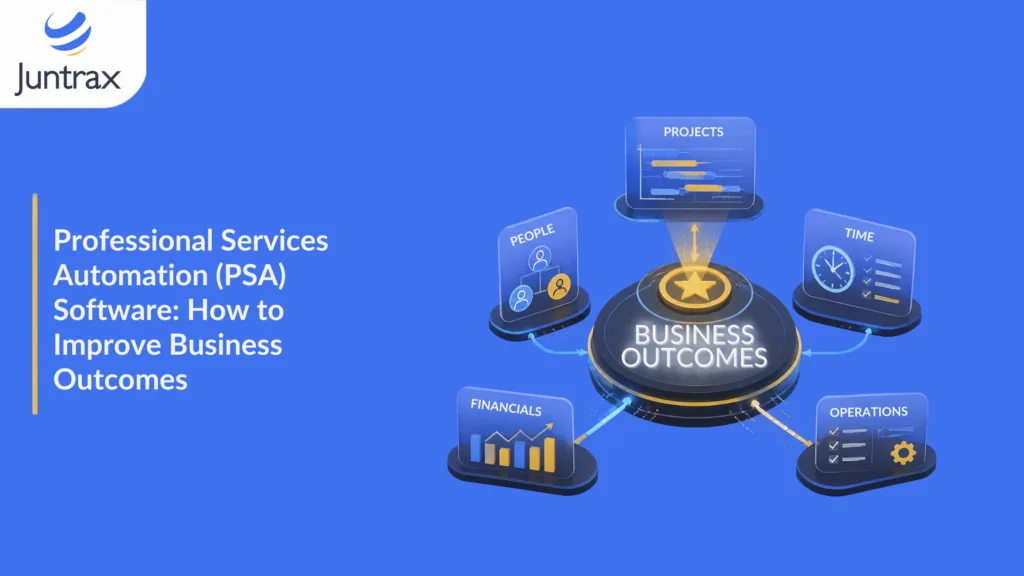
If you run a services firm, you already know the money does not leak in one big, obvious place. It slips out in small ways. A few billable hours that never made it onto a timesheet. An invoice that went out three weeks late. A project that looked fine right up until the month it went underwater. Each one is minor on its own. Together, they decide whether a good quarter turns into a good year.
Professional services automation (PSA) software exists to close those gaps. Used well, it does more than tidy up admin. It moves the numbers that run a services business: how much of your team’s time is billable, how fast you get paid, and how much margin each project keeps. This guide walks through what PSA software is, the business outcomes it improves, and how to pick a platform that moves those numbers rather than just adding another dashboard to your day.
What Is Professional Services Automation (PSA) Software?
Professional services automation software is a system that helps project-based firms plan, deliver, bill, and analyze client work in one place. It brings together the operational core of a services business: project planning, resource allocation, time and expense tracking, billing and invoicing, and the reporting that ties them together.
Think about how a typical engagement flows. A deal is scoped and won. Someone plans the work and staffs it. The team logs time and expenses. Those hours turn into invoices. Finance chases payment. Leadership tries to work out, after the fact, whether the project made money. In a lot of firms, each of those steps lives in a different tool, or in a spreadsheet, or in someone’s head. PSA software connects the whole path so the data stops drifting apart, and you can see project health while there is still time to do something about it.
One point worth clearing up early, because it trips up a lot of buyers: PSA software is not accounting software. A PSA platform manages the front-office and delivery side of the business, projects, people, time, and billing, and then feeds clean data into your accounting system. It does not replace your general ledger. That distinction matters when you are choosing tools, and we will come back to it.
Why PSA Software Matters More in 2026
The market backdrop tells you why firms are moving on this. According to Grand View Research, the global professional services automation software market was valued at USD 12.40 billion in 2024 and is projected to reach USD 40.25 billion by 2033, growing at a compound annual growth rate of 14.7 percent from 2025 to 2033. Cloud adoption and the small and mid-sized enterprise segment are among the faster-growing parts of that market, which lines up with what smaller services firms are feeling: the manual approach stops scaling somewhere around the 25 to 50 person mark.
The operational pressure is just as real. SPI Research’s 2026 Professional Services Maturity Benchmark, drawn from more than 500 organizations, found that billable utilization fell to 66.4 percent, the lowest point in the study’s history. For a services firm, utilization sits close to the center of everything. When it drops, the effect ripples through revenue, margins, staffing plans, and delivery. The same benchmark points to a clear dividing line between firms that thrive and firms that struggle. The deciding factor is whether a firm has integrated, real-time visibility across delivery, resources, and finance, rather than the state of the market. That single capability is what PSA software is built to provide.
The Business Outcomes PSA Software Improves
This is where a guide should earn its keep. Plenty of articles will hand you a list of features. What you care about is which numbers change.
Below are the outcomes of PSA software moves, the metric behind each, and how the software gets there.
Higher Billable Utilization
Utilization is the share of your team’s available time that goes to billable work. SPI Research treats sustained utilization above 70 percent as a marker of a healthy, high-performing firm, and the industry average has been sliding below that. PSA software raises utilization by giving resource managers a live view of who is available, who is best suited to the work, and where people are sitting idle or overloaded. Instead of staffing from memory or a stale spreadsheet, you match the right person to the right project before the bench builds up. A few points of utilization recovered across a team of thirty is real money.
Faster Billing and Healthier Cash Flow
Revenue leakage, the billable work that never makes it to an invoice, is one of the quietest profit killers in services. High performers keep it under 5 percent; many firms have no idea what their number even is. PSA software attacks this at the source. Time and expenses are captured as the work happens, approvals move through the system, and that data flows straight into invoicing. Billing cycles shorten, invoices go out with fewer errors, and days sales outstanding comes down because you are not reconstructing a month of work from scattered notes. Every captured hour that reaches the invoice is margin you already earned but were leaving on the table.
Stronger Project Margins
A project can look fine on the surface and still be quietly losing money. The problem is timing: in a lot of firms, profitability only becomes visible after the project closes, when it is too late to correct. SPI Research uses a project margin above 35 percent as a benchmark of strong performance. PSA software makes margin visible while a project is still running, so a manager can see scope creep, an overrun, or an under-scoped phase in week three rather than at the post-mortem. Catching a project drifting off budget early is the difference between a small correction and a written-off engagement.
Better Forecasting and Real-Time Visibility
The 2026 benchmark is blunt on this point: integrated, real-time visibility across delivery, resources, and finance is the capability that separates high-performance firms from the rest. When your project data, resource data, and financial data live in one system, leadership can forecast demand and capacity with something better than a gut feel. You can see which engagements are healthy and which are at risk, staff against a real pipeline, and make decisions with current numbers instead of last month’s export.
Higher Client Satisfaction and Retention
Clients feel the operational stuff more than firms assume. Missed deadlines, surprise invoices, and slow answers erode trust, and the same benchmark data shows client satisfaction under pressure across the industry. PSA software supports the things that keep clients happy: predictable delivery, transparent and accurate billing, and the ability to answer a status question in minutes rather than after a round of internal chasing. Delivery that runs on time and bills cleanly is delivery clients renew.
Core Capabilities of PSA Software
The outcomes above come from a fairly consistent set of building blocks. When you evaluate platforms, these are the capabilities to look for and the reason each one matters.
- Project planning and management: Scope, milestones, tasks, and dependencies, connected to the rest of the system so that when a task slips, the resource plan and budget reflect it.
- Resource allocation and capacity planning: A live picture of who is available and who fits the work, which is what protects utilization.
- Time and expense tracking: Accurate capture of billable and non-billable hours and costs, ideally right where the work happens, so nothing goes missing before billing.
- Billing, invoicing, and rate cards: Client-specific and project-specific bill rates that turn approved time into accurate invoices without re-keying.
- Financial visibility and receivables: Invoices, expenses, reimbursements, and payments tracked in one place so cash flow is something you manage rather than discover.
- Reporting and analytics. The single source of truth that turns all of the above into decisions, from project health to firm-wide margin.
You can go deeper on how these fit together in our quick guide to PSA software, which is a good primer if this is your first look at the category.
PSA Software vs ERP, Project Management, and Accounting Tools
Buyers usually arrive with a few adjacent categories in mind, so it helps to draw the lines clearly.
PSA software vs project management software
A project management tool tracks tasks and timelines. That is useful, but it stops at delivery. PSA software connects that delivery to the money: time, rates, billing, and margin. If your project tool cannot tell you whether the project is profitable, it is doing half the job.
PSA software vs ERP
Enterprise resource planning systems were built for product and manufacturing businesses, organized around inventory, procurement, and cost centers. PSA software is built for services firms, organized around projects, people, and billable work. Some large firms run both. Most small and mid-sized services firms find that a services-focused PSA platform covers what they need without the weight and cost of enterprise ERP.
PSA software vs accounting software
This is the one to get right. Your accounting system, whether that is Tally, QuickBooks, Xero, or SAP, owns the general ledger, statutory reporting, and the books. PSA software owns the project-to-cash operations layer that sits in front of it: planning, time, billing, and receivables. A good PSA platform does not ask you to rip out your accounting system. It integrates with it, handling the project, time, and invoicing data, and then passing clean entries through. Keeping the two distinct is what lets your accountant stay in the system they know while your delivery and finance teams get the operational view they never had.
Who Uses PSA Software?
PSA software is built for firms whose product is their people’s time. If billable work runs your business, you are in the target group. That covers a wide range of firms:
- IT and software consultancies
- Engineering, EPC, and MEP firms
- Staffing and recruitment agencies
- Legal practices
- Marketing and creative agencies
- Architecture and interior design firms
Inside those firms, the people who lean on PSA software most are the ones accountable for delivery and the numbers: founders and practice leads, project and delivery managers, resource managers, finance leads, and the operations people trying to hold it all together.
There is a regional angle worth naming, because most PSA content is written for large North American enterprises. For project-driven small and mid-sized firms in India and the GCC, the fit is a little different. These firms often run lean, sometimes across multiple entities and currencies, and they need the operational discipline of PSA without enterprise complexity or enterprise pricing. That is the gap a platform built for the 25 to 150 person services firm is meant to fill. If you run an engineering services firm specifically, our breakdown of how Juntrax helps engineering firms close margin leaks goes into the sub-vertical detail.
How to Choose PSA Software That Improves Business Outcomes
Feature lists all start to look the same after the third demo. These are the questions that separate a platform that will move your numbers from one that will just sit there.
Delivery
The software should follow your real path from quote to cash, not force you to bend your process around it.
Real-time Visibility
This is the capability the 2026 benchmark ties directly to high performance. If the three live in separate places, you are back to stitching data.
Integration
You want project and billing data flowing into Tally, QuickBooks, Xero, or SAP, not a forced migration.
Suitability
Rate cards, billing methods, and multi-region setups should be native, not a workaround.
Size
A platform designed for a 10,000-person enterprise is usually a poor fit for a 50-person firm, and a stripped-down enterprise product is rarely the same as software built for that scale from the start.
Adoption
The best system is the one people use daily. Run one of your real workflows, a monthly close or a project setup, through a free trial before you commit.
For a wider view of how these operational pieces fit a growing firm, our office management system guide covers the broader operations picture PSA sits inside.
How Juntrax Helps Professional Services Firms Improve Business Outcomes
This is where we get specific about what we have built. Juntrax is a unified platform that brings HRMS, professional services automation, and cash flow together in one place, built for project-driven small and mid-sized firms in India, the GCC, and beyond.
On the delivery side, Juntrax’s PSA module handles project planning, resource allocation, timesheets, and client-specific rate cards, so billable hours are captured against the work and flow toward billing without re-keying. On the money side, the Cash-Flow module covers invoicing, receivables and payables, expenses, and reimbursements, so the picture of what you have earned and what you are owed stays current. And because people are part of the equation, the HRMS keeps records, leave, attendance, and onboarding in the same system as the work rather than in a separate silo.
Here is the part that matters for the outcomes this guide is about: those three run on one platform, which is what produces the integrated, real-time visibility the benchmark data keeps pointing to. Project profitability is visible while a project runs, not after it closes. And Juntrax works alongside your accounting system rather than replacing it, integrating with Tally, QuickBooks, Xero, and SAP so your books stay where they are while your delivery and finance teams finally see the same numbers. Firms that make this move tend to report the same thing: the monthly meeting that used to burn hours reconciling project hours now takes minutes, and the revenue leaks they could never quite find stop hiding.
You can see plan options on the pricing page if you want a sense of where a firm your size lands.
What Getting Started Looks Like
Adopting PSA software is a change, but for a small or mid-sized firm, it does not have to be a six-month project. A focused rollout for a 25 to 100 person firm typically runs a few weeks: get your people and payroll data in, set up projects, timesheets, and rate cards, connect the financial side and your integrations, then pilot with a real workflow before going wide. Larger firms with multi-region or multi-entity setups take longer, but the principle holds. Start with one real process, prove it, and expand. The point is not to automate everything at once. It is to close the biggest leak first and build from there.
Frequently Asked Questions
What Is Professional Services Automation (PSA) Software?
Professional services automation software is a system that helps project-based firms plan, deliver, bill, and analyze client work in one place. It typically combines project management, resource allocation, time and expense tracking, billing and invoicing, and reporting, so a firm can run its people, projects, and finances together rather than across separate tools.
How Does PSA Software Improve Business Outcomes?
PSA software improves outcomes by moving the metrics that run a services firm. It raises billable utilization through better resource planning, reduces revenue leakage and shortens billing cycles by connecting time capture to invoicing, protects project margin by making profitability visible while work is in progress, and improves forecasting through real-time visibility across delivery, resources, and finance.
Is PSA Software the Same as Accounting Software?
No. PSA software manages the project-to-cash operations layer, planning, time, billing, and receivables, while accounting software owns the general ledger and statutory reporting. A good PSA platform integrates with accounting systems such as Tally, QuickBooks, Xero, or SAP rather than replacing them.
What Is the Difference Between PSA Software and ERP?
ERP systems were designed for product and manufacturing businesses, built around inventory and procurement. PSA software is designed for services firms, built around projects, people, and billable work. Some large firms use both, but most small and mid-sized services firms find a services-focused PSA platform covers their needs without enterprise ERP complexity.
Who Uses PSA Software?
PSA software is used by firms whose core product is billable time, including IT and software consultancies, engineering and EPC or MEP firms, staffing agencies, legal practices, marketing agencies, and design firms. Within them, founders, delivery and resource managers, and finance leads rely on it most.
How Much Does PSA Software Cost?
Pricing varies widely by vendor, firm size, and the modules you need, and is usually charged per user per month. Rather than anchor on one number, compare the total picture, including implementation time and the revenue you are currently losing to poor utilization and billing visibility. You can review current plan options on the Juntrax pricing page.